
SERVICES

Test Partial Passed 50

Q&A Testing

Need QA, QC, or Test Automation? Relax. Osbay provides functional and regression…
Line Chart 50

Agile Product Development

To build the best version of your product on time and on…
Google Mobile 50

Mobile App Development

We provide companies with end-to-end mobile solutions for iOS, Android, and Windows…
Support 50

Technical Support Services

Whether it’s customer support, remote infrastructure management (RIM), ops support, data migration,…
Line Chart 50

Customer Software Development

Enterprise software solutions with full-cycle development services. Our dedicated development team quickly…

QUALITY, FAST, GLOBAL SOFTWARE DEVELOPMENT

Get instant access to .net, java, linux, developers for the cheapest price available. Talented d available for quick turn-around projects. Help your team get more done, scale more flexibly,and most of all -- save more money! Tell us what you’re looking for and we'll give you a quote today.
.net
Javascript
php
HTML5
Android

About Osbay

4
Languages
4
Offices
50+
Projects
all
Satisifed Customers

From Concept to Reality

At Osbay, custom software development means delivering high-quality, easy-to-use products that add value to your enterprise – on time and on budget. We employ exceptional UX designers and software engineers to work collaboratively with you at any point in the software development life cycle (SDLC). So whether you need help building an existing application or need a partner to help you take a new product from prototype to market, we provide the scale and expertise you need to succeed.

PROJECTS

Check out some of our latest projects

Blog

A modern, diverse workplace seamlessly integrating AI into everyday collaboration: a bright, open-plan office with a large central table where a mixed group of professionals (different ages, genders, and ethnicities) are working together with friendly, transparent AI interfaces. On the table and in the air above it, semi-transparent holographic data visualizations, AI assistants, and workflow diagrams hover in an organized, non-chaotic way, symbolizing ethical, well-structured AI integration rather than sci-fi robots taking over. In the foreground, a female team lead is presenting to colleagues using a sleek AR-style display that shows an AI suggestion panel next to human-written notes, visually emphasizing “human + AI partnership.” A colleague beside her is reviewing AI-generated insights on a laptop while thoughtfully annotating them with a stylus on a tablet, showing human oversight and accountability. Another worker is adjusting settings on a calm, minimalist AI dashboard labeled with icons for privacy, security, and fairness (no readable text, just clear symbols), symbolizing governance and responsible use. In the background, glass meeting rooms show small groups engaged in training and discussion, with a large digital screen on one wall displaying abstract icons of brain + circuit, handshake, and shield, representing learning, collaboration, and data protection. A subtle noticeboard area shows people collaborating on sticky-note style workflow diagrams, illustrating change management and employee involvement. There are no humanoid robots; instead AI is represented as glowing interfaces, charts, icons, and ambient light patterns integrated into existing tools. Tone: optimistic, professional, and inspiring, focused on empowerment, trust, and ethical use of technology rather than fear or dystopia. Art style: high-end digital illustration, semi-photorealistic with a clean, tech-forward aesthetic, similar to contemporary tech-company hero images. Composition: wide-angle view capturing the main collaborative table in the center, with background meeting rooms and subtle office details framing the scene; eye-level perspective to feel immersive and relatable. Color palette and lighting: bright, natural daylight streaming through large windows, balanced with soft, cool tech tones (blues, teals, and whites) accented by warm skin tones and light wood furniture; gentle glows around AI elements in cyan and soft purple to emphasize digital intelligence; overall clean, uncluttered feel with clear focal points and harmonious composition.

Best Practices for Integrating AI in the Modern Workplace

Best Practices for Integrating AI in the Modern Workplace Artificial intelligence is no longer a “future” trend. It’s already in our inboxes, our meetings, our reports, and even our hiring tools. But here’s the real question: how do you integrate […]
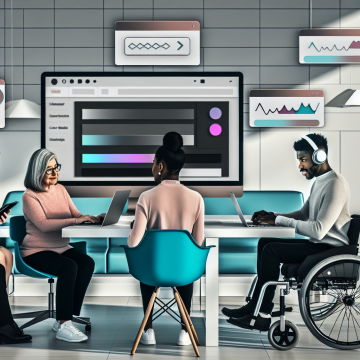
A modern, inclusive digital workspace where a diverse team evaluates a website’s accessibility and usability on multiple screens. In the center, a large, sleek computer monitor displays a clean, modern website layout with clear sections, buttons, and images, surrounded by subtle UI elements like sliders, forms, and navigation menus. Around the main screen, several smaller floating panels show key evaluation aspects: a color contrast checker with contrasting color swatches, a keyboard icon with arrow keys highlighting keyboard navigation, a screen reader waveform or audio icon, a checklist with WCAG-like checkmarks, and simple metrics/analytics graphs. In the foreground, three to four people of different ages, genders, and ethnicities collaborate: one using a laptop with a keyboard focus outline on the screen, another using a tablet with zoomed-in content, another wearing small over-ear headphones representing screen reader usage, and one person in a wheelchair participating equally at the table. Their body language shows focused, thoughtful collaboration, not stress. The environment is a bright, modern office with a large desk, plants, and minimal decor, symbolizing clarity and professionalism. The overall mood is analytical yet optimistic and empowering, emphasizing improving websites for everyone. Use a semi-isometric or slightly elevated wide shot to capture screens, people, and floating UI panels in one cohesive composition. Art style: clean, polished, high-end digital illustration with mild isometric/flat design influences; crisp lines, subtle gradients, no text. Color palette: cool and professional with blues, teals, and soft neutrals, accented by a few warm highlights (oranges/yellows) for key UI elements and icons. Lighting: soft, bright, and even, with gentle glow around the main monitor and floating panels to draw focus, conveying clarity, modern technology, and accessibility-first design.

How to Evaluate a Website: Comprehensive Usability and Accessibility Guide

How to Evaluate a Website: Comprehensive Usability and Accessibility Guide If you’ve ever clicked on a website and instantly felt lost, you already know why website evaluation matters. A website can look beautiful and still be confusing, frustrating, or even […]
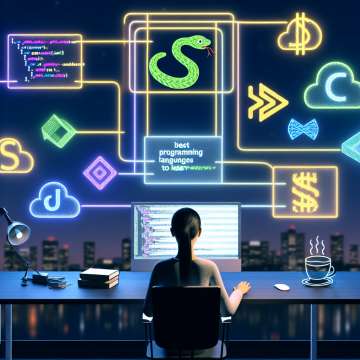
A modern, inspiring digital illustration symbolizing “best programming languages to learn,” centered on a young, gender-neutral learner at a sleek desk, surrounded by multiple floating holographic screens representing different programming languages (Python, JavaScript, HTML/CSS, Java, C#, SQL, Swift, Go, Kotlin, TypeScript, Ruby, C++). Each language is visually hinted at using abstract icons and color motifs (e.g., green serpentine shapes for Python, yellow/blue brackets and browser windows for JavaScript and HTML/CSS, coffee steam swirl for Java, blue geometric shapes for C#, database cylinder for SQL, minimalist apple-like silhouette for Swift, gopher-inspired abstract shape for Go, Android-like outline for Kotlin, typed braces for TypeScript, ruby gemstone for Ruby, metallic gears and brackets for C++), but no readable text or logos. The learner sits in a cozy, modern workspace with a large ultrawide monitor and laptop open, code lines glowing softly on screens, posture engaged and curious, one hand slightly lifted as if interacting with a holographic interface. The environment blends a real desk (notebook, pen, coffee cup, small plant) with a futuristic overlay: neon lines, semi-transparent panels, and floating UI elements forming a subtle circular arc around the learner, suggesting a roadmap or learning path through different languages. In the background, a stylized city skyline at dusk through a window, symbolizing future career opportunities and the tech world beyond. The city lights form soft bokeh, with a few faint, circuit-like patterns integrated into the sky. Above and behind the learner, a faint, semi-transparent path of connected nodes and icons curves from beginner-friendly languages near the foreground to more advanced, specialized ones in the distance, visually indicating progression and choice rather than a single route. Tone and mood: motivational, optimistic, approachable, with a balance between playful and professional. Emphasis on curiosity, possibilities, and accessibility for beginners. Art style: high-quality digital illustration, semi-realistic with clean lines and smooth gradients, slight futuristic UI aesthetic, similar to modern tech product hero images and educational platforms. Avoid any corporate branding. Composition: three-quarter view of the learner from slightly behind and to the side, so their face is partly visible in profile, illuminated by screen glow. The floating language panels form a gentle semicircle around them, some closer in the foreground for depth, some fading into the background. Clear focal point on the learner and central holographic screens, with the surrounding elements supporting the narrative without clutter. Color palette and lighting: rich, vibrant colors with a cool-to-warm gradient. Cool blues and teals from screens and holograms contrasted with warm oranges and purples from the sunset outside and desk lamp glow. Soft, cinematic lighting with subtle rim light around the learner’s silhouette, gentle reflections on the desk, and light particle effects around floating UI elements to suggest energy and discovery. No text anywhere in the image.

Best Programming Languages to Learn in 2025 for Beginners

Best Programming Languages to Learn in 2025 for Beginners If you’re thinking about learning to code in 2025, you might be asking yourself: Which programming language should I start with? With so many options out there, it can feel overwhelming. […]
See all our news

Get Quote